One search instead of ten tabs. Type an artist and get results from Bandcamp, Juno, Beatport, Decks.de and Discogs — digital and vinyl — then listen, tag and save, all in one app.
Explore artist connections →Real screens from the app, not mockups.
Start from an empty database: add four artists, press Mass search, and their 1367 tracks arrive in one list. Repeat searches are fast; the first scan of a new artist takes longer.
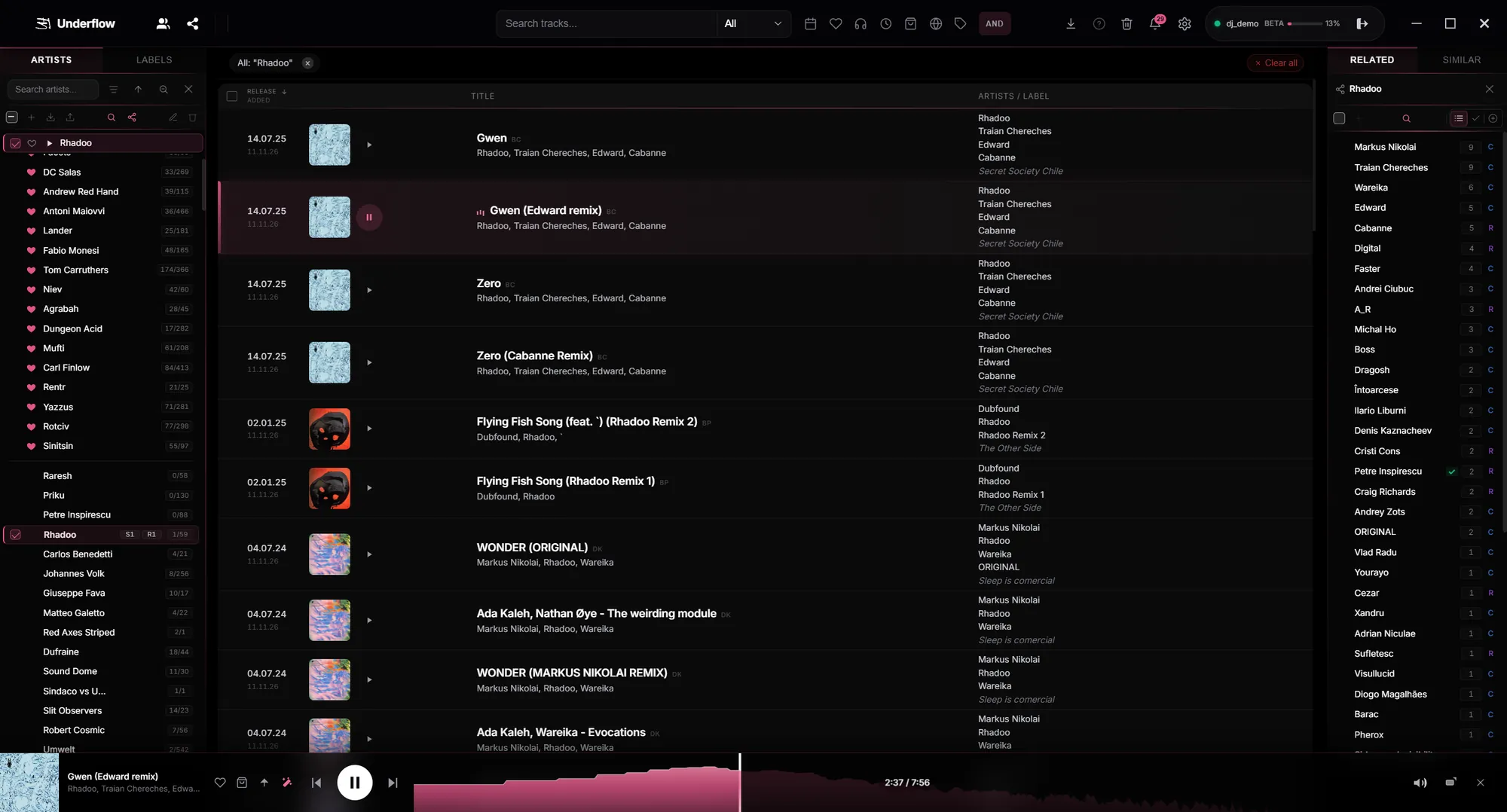
Tick several artists, press Mass search, and their tracks from Bandcamp, Beatport, Decks and more arrive in one list. A test run on four artists returned 59, 88, 130 and 58 tracks.
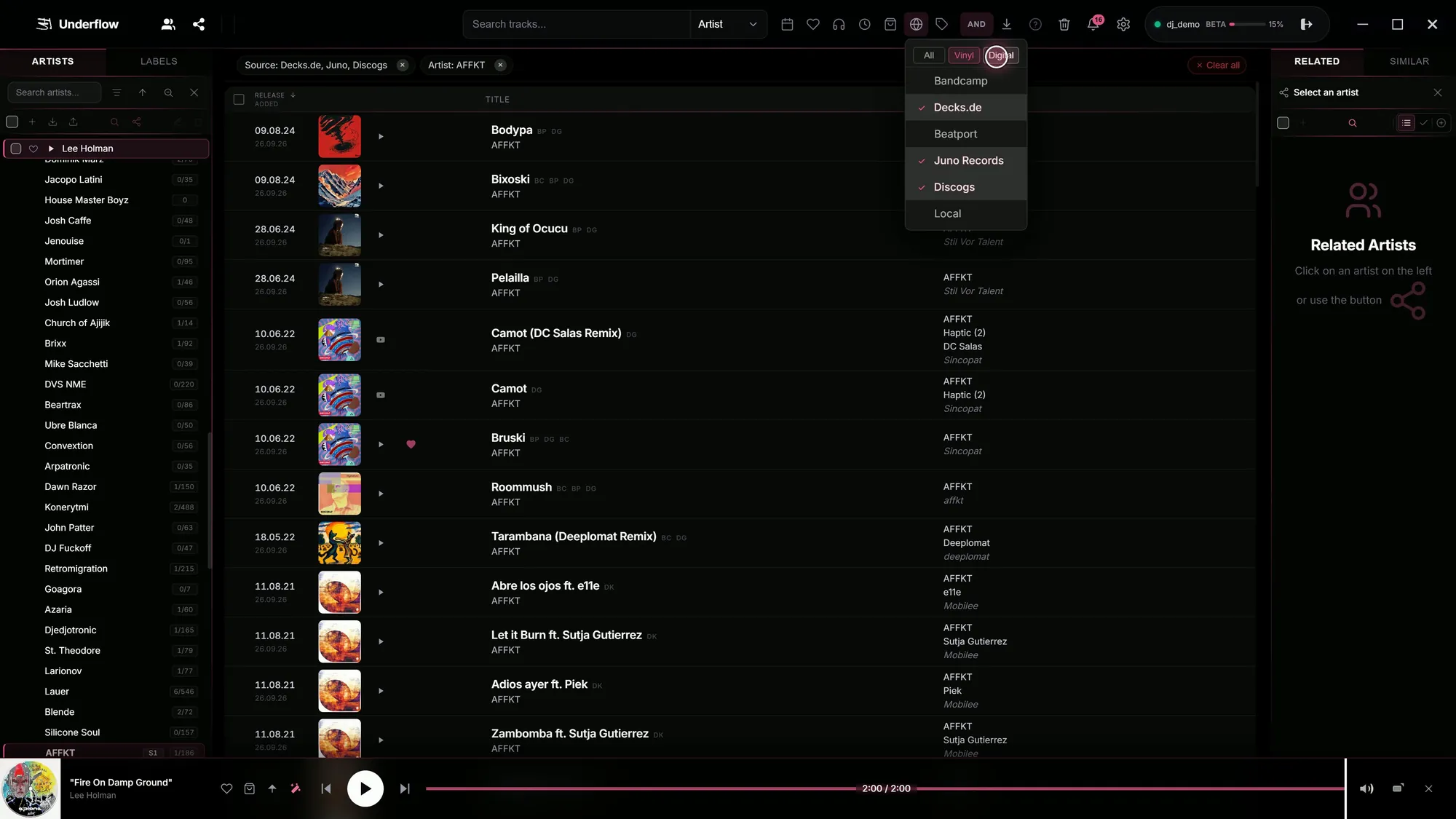
Bandcamp, Decks.de, Beatport, Juno Records and Discogs side by side. Badges show where each track was found, and one menu filters by store, vinyl or digital.
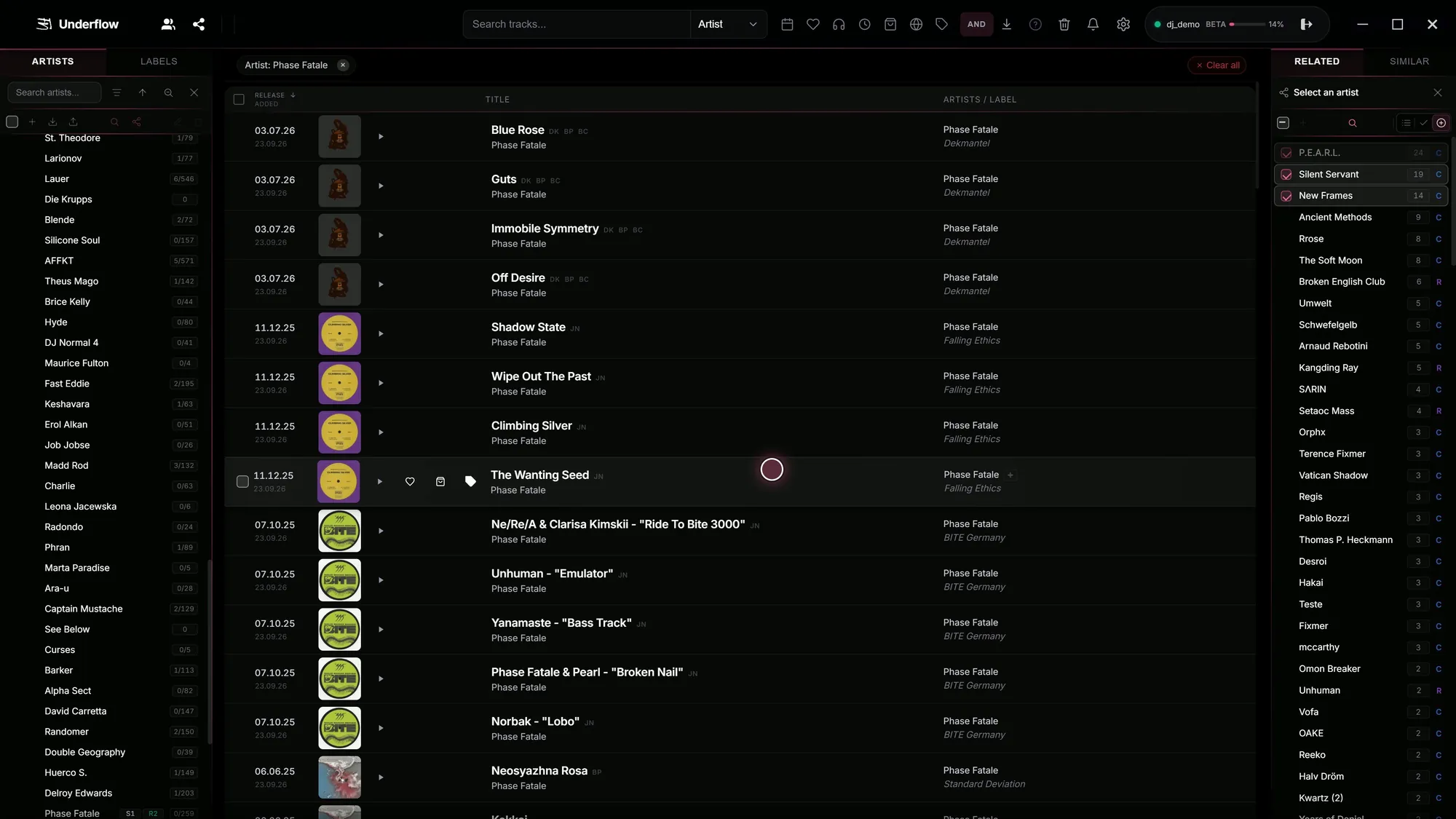
Related artists with the relation type next to each name, built from the tracks themselves. Click a name to follow the scene.
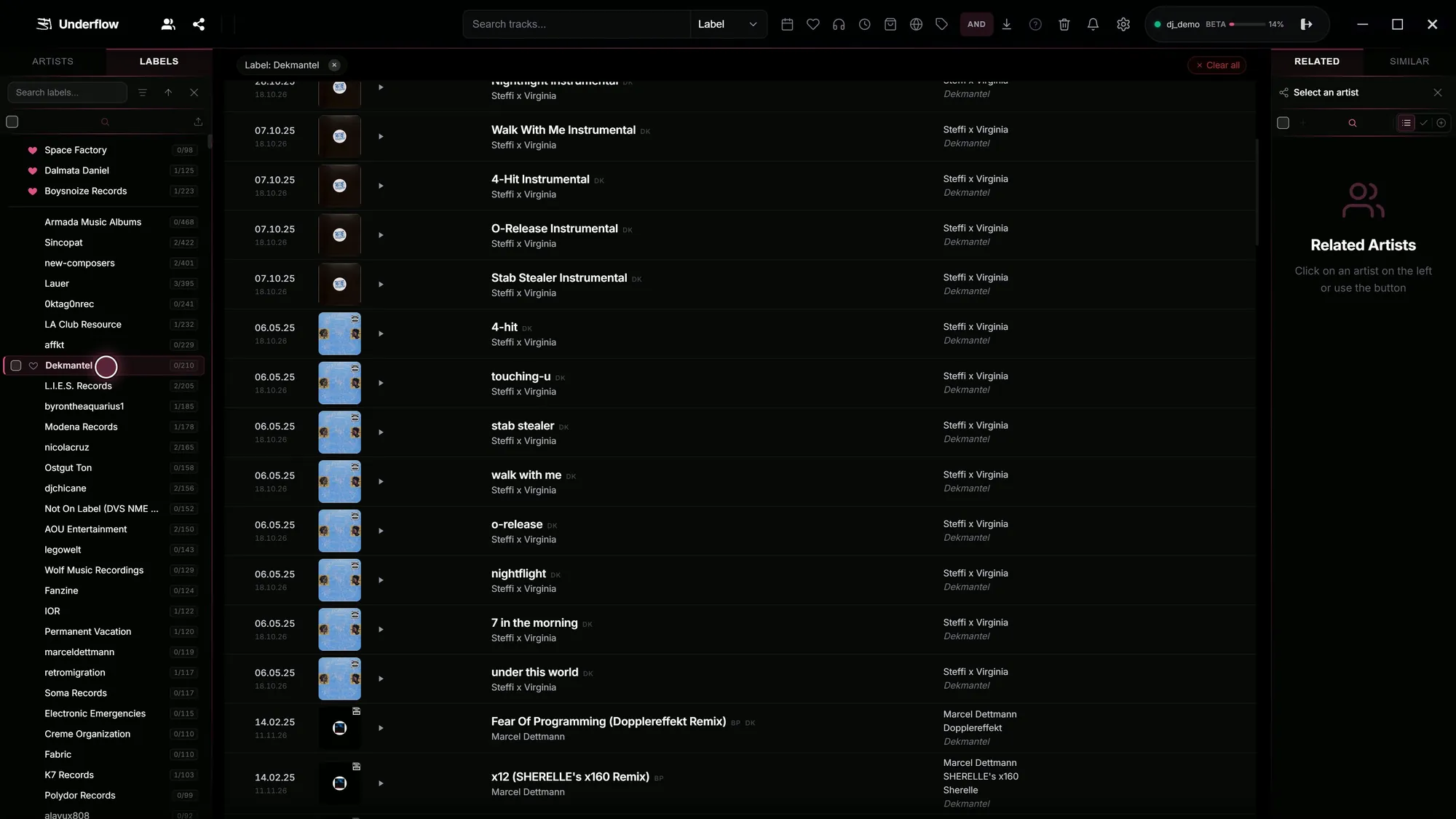
Browse by label too: your favorite labels and their releases in one list, next to your artists.
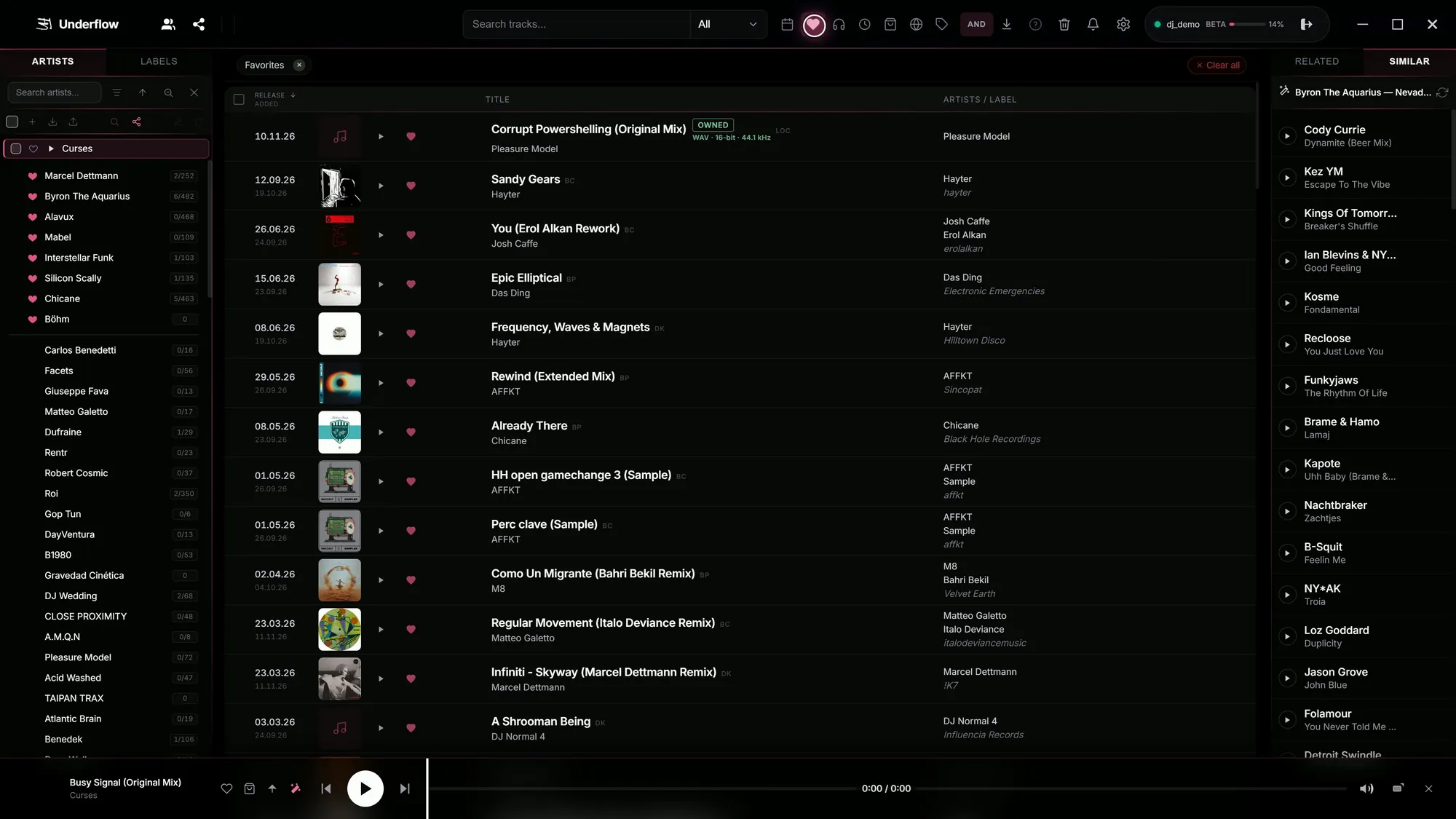
Tracks matched to your local files get an OWNED badge with the file format, so you do not buy the same release twice.
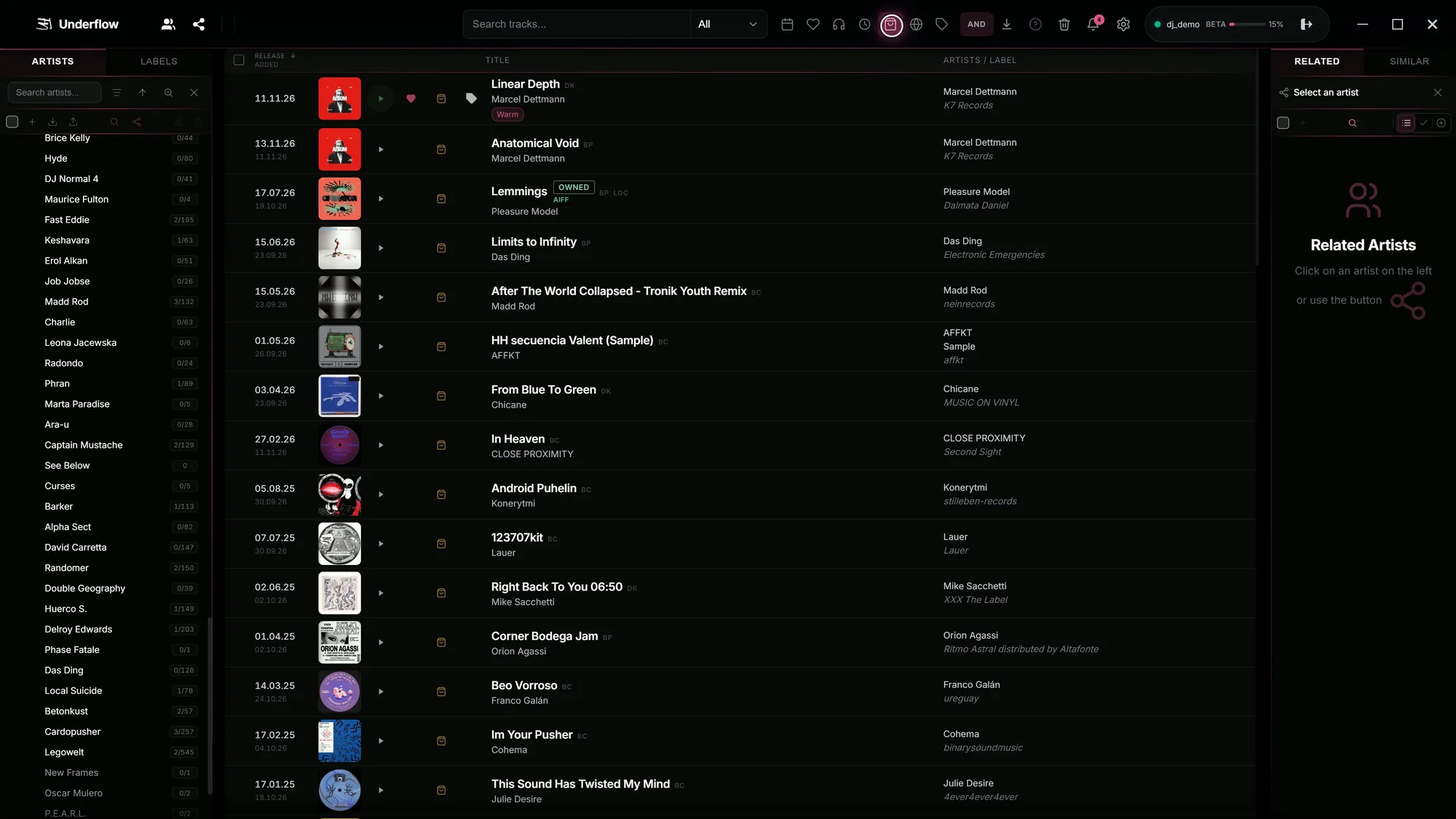
Mark a track once and it waits on your buy list with its store badge. Review the list, then buy store by store.
From search to collection in three steps.
Type an artist name. Underflow queries Bandcamp, Juno, Beatport, Decks.de and Discogs at the same time — no tab-hopping, no store-by-store searching.
Play previews one after another in the built-in player — no new tab per release. Compare an artist across platforms and follow remixers and collaborators to names you haven't heard.
Heart a track, tag it your way, move it to your buy list, then click through to purchase on the right store. Your whole collection stays searchable and exports to CSV.
Built for DJs and record collectors who take their music seriously.
Type an artist name and get results from Bandcamp, Juno, Beatport, Decks.de and Discogs in one list — including vinyl-only releases you'd never see in digital stores.
Underflow analyzes every track to map remixers, collaborators and featured artists, with color-coded relation badges (R/F/C/O). Follow the chain to artists you'd never find by hand.
Play previews right in the app — no new tab per release. Full transport controls, seek bar and volume, a floating mini-player that stays on top while you work, and a real-time spectrum analyzer.
Heart a track when you spot it. Ready to buy? Move it to your buy list. Purchased? It's in your collection. Every step tracked — nothing lost between tabs.
Create your own tag groups with colors — mood, tempo, key, genre, whatever fits your workflow — and filter by them with AND/OR logic.
Your collection lives on your machine in a SQLite database — searchable, exportable to CSV, and yours. No cloud lock-in.
10 artists. 5 platforms. Same Saturday afternoon.
Everything you need to know before downloading.
Yes. Underflow is free during the open beta, with daily limits while we gather feedback.
No. Underflow is a search and discovery tool. The service does not store or distribute music. Audio previews are streamed directly from the platform servers (Bandcamp, Juno, Beatport, Decks.de, Discogs). When you find a track you want, you click through to purchase it on the respective platform.
Our algorithm analyzes track metadata to identify remixers, collaborators, and featured artists. You get a visual network of related artists with color-coded relation types: R (remixer), F (featuring), C (collaborator), O (original).
Bandcamp, Juno Records, Beatport, Decks.de, and Discogs. All five are searched simultaneously with unified results.
Locally on your machine in a SQLite database. Your tags, wishlists, and collection never leave your computer. Search requests go through our server for speed and platform compatibility.
Windows 10/11 (x64), macOS with Intel processors, and macOS with Apple Silicon (M1/M2/M3).
One search across all of these simultaneously.
Free during the open beta; terms may change after it. Windows and macOS.
Underflow is not code-signed yet, so Windows and macOS ask you to confirm the first launch once.
Windows: in the “Windows protected your PC” window click More info, then Run anyway.
macOS: open the .dmg and drag Underflow to Applications. If it is blocked, open System Settings → Privacy & Security, scroll to Security and click Open Anyway next to Underflow. On macOS 14 and earlier, right-click the app and choose Open instead.
Not ready to download? Get notified of updates.